
A slow website can drive visitors away before they even explore your services or products. In today’s digital world, people expect websites to load quickly and provide a smooth browsing experience.
Website speed optimization is important for improving user experience, reducing bounce rates, and supporting better search engine performance.
Whether you run a small business website, an online store, or a personal blog, making your website faster can help you attract and retain more visitors.
In this guide, we’ll explore 10 practical ways to improve website speed and create a better experience for your visitors.
Why Is Website Speed Optimization Important?
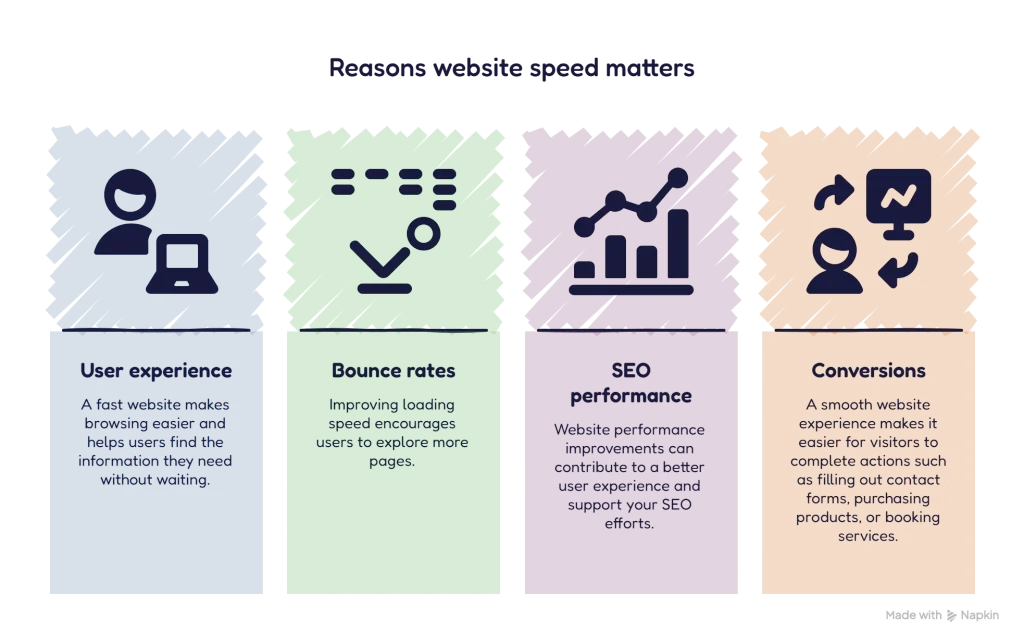
Website speed plays an important role in how visitors interact with your website. A slow-loading website can frustrate users and make them leave before exploring your content.
Here are four reasons why website speed matters.
1. Improves User Experience
Visitors prefer websites that load quickly. A fast website makes browsing easier and helps users find the information they need without waiting.
2. Reduces Bounce Rates
When a website takes too long to load, visitors may leave immediately. Improving loading speed encourages users to explore more pages.
3. Supports SEO Performance
Google considers page experience and Core Web Vitals as part of its ranking systems. Website performance improvements can contribute to a better user experience and support your SEO efforts.
4. Increases Conversions
A smooth website experience makes it easier for visitors to complete actions such as filling out contact forms, purchasing products, or booking services.
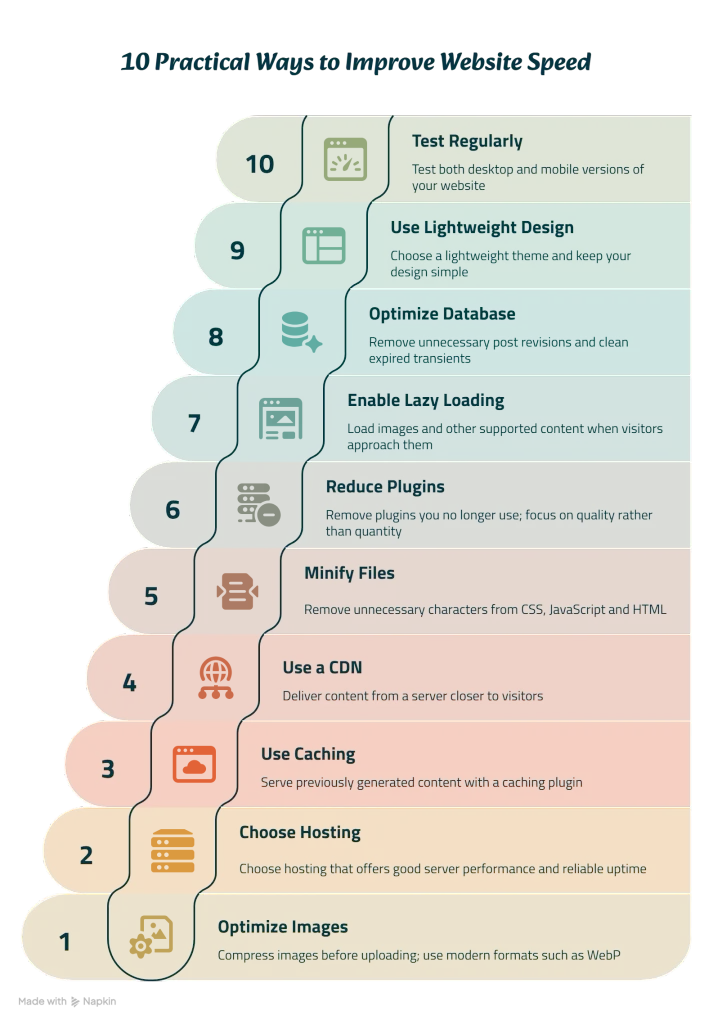
10 Practical Ways to Improve Website Speed
Here are ten effective techniques you can use to make your website faster.
1. Optimize Your Images
Large image files are one of the common reasons websites load slowly.
Before uploading images, reduce their file sizes without sacrificing too much quality.
Some useful practices include:
- Compress images before uploading.
- Use modern formats such as WebP.
- Resize images according to their display dimensions.
- Avoid uploading unnecessarily large images.
Image optimization can significantly reduce page loading time.
2. Choose a Reliable Web Hosting Provider
Your hosting provider plays an important role in website performance.
Cheap or low-quality hosting may result in slow server response times, especially when multiple visitors access your website.
Choose hosting that offers:
- Good server performance.
- Reliable uptime.
- SSD or NVMe storage.
- Server locations suitable for your target audience.
- SSL support and regular backups.
Reliable hosting creates a strong foundation for website speed optimization.
3. Use a Caching Plugin
Caching helps your website load faster by storing ready-to-use versions of certain website elements.
Instead of generating every page from scratch whenever someone visits, caching can serve previously generated content.
Popular WordPress caching plugins include:
- LiteSpeed Cache
- WP Rocket
- W3 Total Cache
- WP Super Cache
Choose a plugin compatible with your hosting environment and configure it carefully.
4. Use a Content Delivery Network (CDN)
A Content Delivery Network distributes website content across multiple servers in different locations.
When visitors access your website, the CDN can deliver content from a server closer to them.
This can reduce loading time, especially for websites serving visitors from different countries.
Cloudflare is a popular CDN option for website owners.
5. Minify CSS, JavaScript and HTML
Websites use CSS, JavaScript and HTML to display content and provide interactive features.
These files may contain unnecessary spaces, comments and formatting.
Minification removes unnecessary characters without changing how the code works.
This helps reduce file sizes and can improve loading performance.
However, test your website after enabling minification because some settings may cause layout or functionality issues.
6. Reduce Unnecessary Plugins
WordPress plugins provide useful features, but installing too many can affect website performance.
Some plugins load additional scripts, stylesheets and other resources.
To improve performance:
- Remove plugins you no longer use.
- Avoid installing multiple plugins with the same function.
- Choose well-maintained plugins.
- Keep essential plugins updated.
Focus on quality rather than quantity.
7. Enable Lazy Loading
Lazy loading allows images and other supported content to load when visitors approach them while scrolling.
Instead of loading every image immediately, the browser can prioritize the content visitors see first.
This reduces unnecessary initial loading and can improve the experience on pages containing many images.
WordPress supports native lazy loading for images in many situations.
Avoid lazy-loading the main above-the-fold or Largest Contentful Paint image.
8. Optimize Your Website Database
WordPress websites store information such as posts, comments, revisions and settings in a database.
Over time, unnecessary data may accumulate.
Database optimization can include:
- Removing unnecessary post revisions.
- Cleaning expired transients.
- Deleting spam comments.
- Removing unused data carefully.
Always take a backup before performing database cleanup.
9. Use Lightweight Themes and Design Elements
Your WordPress theme and page builder can influence website performance.
Heavy themes, excessive animations and unnecessary design elements may increase page loading time.
Choose a lightweight theme and keep your design simple.
If you use Elementor, consider:
- Removing unused widgets.
- Avoiding excessive animations.
- Using fewer unnecessary sections.
- Optimizing fonts and icons.
- Keeping layouts clean and responsive.
A minimal design can look attractive while maintaining good performance.
10. Test Your Website Speed Regularly
Website optimization is not a one-time task.
Regular testing helps you identify performance issues and measure improvements.
Here are three useful tools:
Google PageSpeed Insights: Analyzes website performance and provides optimization suggestions.
GTmetrix: Provides detailed performance reports and identifies loading issues.
Google Search Console: Helps monitor Core Web Vitals and other website search performance information.
Test both desktop and mobile versions of your website to understand how visitors experience your pages.
What Are Core Web Vitals?
Core Web Vitals are Google metrics that help measure the real-world user experience of a website.
There are three main metrics:
1. Largest Contentful Paint (LCP)
LCP measures how quickly the largest visible content element loads.
A good LCP score is 2.5 seconds or less.
2. Interaction to Next Paint (INP)
INP measures how quickly a website responds to user interactions.
A good INP score is 200 milliseconds or less.
3. Cumulative Layout Shift (CLS)
CLS measures unexpected layout movements while a page loads.
A good CLS score is 0.1 or less.
Improving these metrics can help create a smoother browsing experience.
How to Check Your Website Speed Using Google PageSpeed Insights
You don’t need advanced technical knowledge to check your website performance.
Follow these steps:
- Visit Google PageSpeed Insights.
- Enter your website URL.
- Click the Analyze button.
- Wait for the performance report.
- Review both mobile and desktop results.
- Follow the recommendations to improve performance.
Pay attention to Core Web Vitals and the opportunities listed in the report.
Common Website Speed Optimization Mistakes to Avoid
While improving website performance, avoid these common mistakes:
- Uploading large, uncompressed images.
- Installing too many WordPress plugins.
- Using unnecessary animations and effects.
- Ignoring mobile performance.
- Installing multiple caching plugins together.
- Making optimization changes without taking backups.
- Focusing only on performance scores instead of actual user experience.
Remember that the goal is to build a fast, reliable and user-friendly website.
Frequently Asked Questions (FAQs)
1. What is website speed optimization?
Website speed optimization is the process of improving how quickly a website loads and responds to visitors. It involves image compression, caching, hosting improvements and other performance techniques.
2. Does website speed affect SEO?
Yes. Website performance and Core Web Vitals contribute to Google’s page experience evaluation. However, speed alone does not guarantee higher search rankings.
3. What is a good website loading speed?
There is no single loading time that guarantees success. A useful target is to achieve a good Core Web Vitals assessment, including an LCP of 2.5 seconds or less.
4. Which tool is best for checking website speed?
Google PageSpeed Insights is a good starting point. GTmetrix is another useful option for more detailed performance analysis.
5. Can I improve WordPress website speed without coding?
Yes. You can improve performance using image optimization, suitable caching plugins, lightweight themes and reliable hosting without writing code.
Conclusion
Website speed optimization is an important part of building a successful online presence.
A faster website improves the browsing experience, helps visitors access information easily and supports your overall SEO strategy.
Start with simple improvements such as image compression, caching and removing unnecessary plugins. Then monitor your performance using tools like Google PageSpeed Insights.
Remember, a successful website is not just about attractive design. It should also be fast, responsive and easy to use.
Want to improve your online presence? Explore professional digital marketing services and build a website that delivers a better experience for your customers.