
Introduction
Have you ever wondered why your website is not getting enough traffic from Google?
You may have published quality content, added keywords, and designed a professional website. But your website may still struggle to appear in search results.
One possible reason is that your website has SEO issues that need attention.
This is where an SEO audit becomes important.
An SEO audit is the process of analyzing your website to identify problems that may affect its search engine visibility, performance, and user experience.
In this guide, we will explore what an SEO audit is, why it matters, and how to perform one step by step.
1. What Is an SEO Audit?
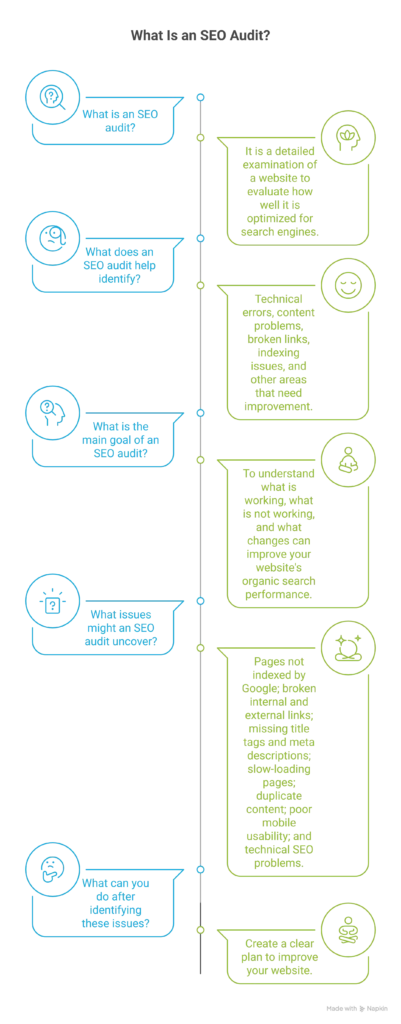
An SEO audit is a detailed examination of a website to evaluate how well it is optimized for search engines.
It helps identify technical errors, content problems, broken links, indexing issues, and other areas that need improvement.
The main goal of an SEO audit is to understand what is working, what is not working, and what changes can improve your website’s organic search performance.
For example, an SEO audit may help you discover:
- Pages that are not indexed by Google.
- Broken internal and external links.
- Missing title tags and meta descriptions.
- Slow-loading website pages.
- Duplicate content.
- Poor mobile usability.
- Technical SEO problems.
By identifying these issues, you can create a clear plan to improve your website.
2. Why Is an SEO Audit Important?
Regular SEO audits help website owners understand their website’s strengths and weaknesses.
Here are some important benefits.
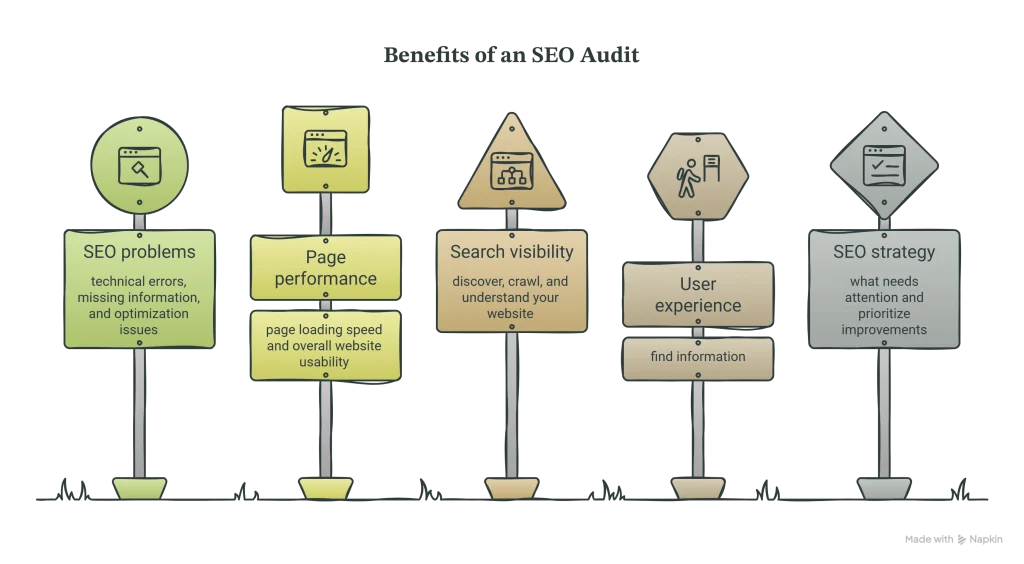
1. Identifies SEO problems
An audit helps discover technical errors, missing information, and optimization issues that may affect your website.
2. Improves website performance
It helps you identify opportunities to improve page loading speed and overall website usability.
3. Supports better search visibility
Fixing relevant SEO problems can help search engines discover, crawl, and understand your website more effectively.
4. Improves user experience
A well-organized website with useful content and easy navigation makes it easier for visitors to find information.
5. Helps build an SEO strategy
An SEO audit gives you a better understanding of what needs attention and helps you prioritize improvements.
3. Different Types of SEO Audits
An SEO audit covers several areas of website optimization.
Understanding these areas will help you perform a more effective audit.
Technical SEO Audit
A technical SEO audit examines the technical structure of your website.
It focuses on issues that may affect how search engines crawl, render, and index your pages.
Common areas include:
- Website crawlability.
- Indexing issues.
- XML sitemap.
- Robots.txt file.
- HTTPS security.
- Website loading performance.
- Mobile usability.
On-Page SEO Audit
An on-page SEO audit examines individual website pages to understand how well they are optimized.
It includes:
- SEO titles.
- Meta descriptions.
- Heading structure.
- Keyword usage.
- Image alt text.
- Internal linking.
- Content quality.
Off-Page SEO Audit
An off-page SEO audit examines activities outside your website that can influence your website’s reputation and search visibility.
It mainly focuses on:
- Backlink quality.
- Referring domains.
- Brand mentions.
- Relevant external links.
- Potential spam or manipulative link patterns.
Content SEO Audit
A content audit examines the quality and usefulness of the content published on your website.
It helps identify:
- Outdated articles.
- Thin or unhelpful content.
- Duplicate or overlapping topics.
- Missing information.
- Pages that need updating.
4. How to Perform an SEO Audit: 10 Important Steps
Now let’s look at how to conduct a basic SEO audit for your website.
Step 1: Check Your Website’s Indexing Status
Before analyzing other SEO elements, check whether Google can find and index your important website pages.
If a page is not indexed, it generally cannot appear in Google’s search results.
You can use Google Search Console to check your indexing status.
Follow these steps:
- Open Google Search Console.
- Select your website property.
- Navigate to the Page indexing report.
- Review indexed and non-indexed pages.
- Investigate important pages that are not indexed.
You can also use the URL Inspection tool to check individual pages.
Remember that not every excluded URL is an error. Some pages are intentionally excluded from Google’s index.
Step 2: Analyze Your Website’s Loading Speed
Website speed is an important part of the user experience.
Slow-loading pages can frustrate visitors and make it harder for them to interact with your website.
Use Google PageSpeed Insights to analyze your website performance.
Check these areas:
- Largest Contentful Paint (LCP).
- Interaction to Next Paint (INP).
- Cumulative Layout Shift (CLS).
- Image optimization.
- Unnecessary JavaScript.
- Server response time.
Pay attention to Google’s Core Web Vitals.
These metrics help evaluate loading performance, interactivity, and visual stability.
Step 3: Review Your SEO Titles and Meta Descriptions
SEO titles and meta descriptions help users understand what your website pages are about.
Check whether your important pages have:
- Unique SEO titles.
- Relevant target keywords.
- Clear and descriptive titles.
- Useful meta descriptions.
- No unnecessary keyword repetition.
For example:
Poor SEO title: Home Page
Better SEO title: Digital Marketing Services in Kochi | Sahil Marketing
Your titles should accurately describe the content of each page.
Step 4: Check Your Website’s Heading Structure
Headings help organize your content and make it easier to read.
They also help search engines understand the structure of your pages.
Review your website for:
- One clear main heading (H1) where appropriate.
- Relevant H2 headings.
- H3 headings for supporting sections.
- Logical heading order.
- Descriptive headings.
Avoid using headings only to make text look bigger. Use them to organize meaningful content.
Step 5: Find and Fix Broken Links
Broken links lead visitors to pages that cannot be accessed.
They may create a poor user experience and waste time for visitors and website owners.
Check your website for:
- Broken internal links.
- Broken external links.
- Incorrect URLs.
- Missing pages.
- Unnecessary redirects.
You can use an SEO crawling tool to identify broken links.
Update incorrect links, replace outdated URLs, or redirect permanently moved pages to relevant alternatives when appropriate.
Step 6: Analyze Your Website’s Mobile-Friendliness
Many people access websites through smartphones.
Your website should provide a smooth experience across different screen sizes.
Check the following:
- Text readability.
- Button sizes.
- Navigation menus.
- Image display.
- Content alignment.
- Horizontal scrolling.
- Page loading performance.
Open your website on different mobile devices or use browser developer tools to test responsive layouts.
Step 7: Review Your Website Content
Content quality is an important part of a successful SEO strategy.
During a content audit, review your website pages and blog articles.
Ask yourself:
- Does the content answer the user’s search intent?
- Is the information accurate and useful?
- Are the target keywords used naturally?
- Is the content easy to understand?
- Are there outdated sections?
- Does the content provide original value?
Update outdated information and improve pages that do not provide enough value to visitors.
Avoid creating content only to insert keywords.
Step 8: Check Your Internal Linking Structure
Internal links connect one page of your website to another page on the same website.
They help visitors discover related information and help search engines understand the relationship between your pages.
For example, a blog about SEO audits can link to your SEO services page.
During your audit:
- Identify important pages with very few internal links.
- Link related blog articles.
- Use descriptive anchor text.
- Fix broken internal links.
- Make important pages easy to access.
A clear internal linking structure improves website navigation.
Step 9: Analyze Your Backlink Profile
Backlinks are links from other websites that point to your website.
Relevant, trustworthy backlinks can help search engines understand your website’s reputation and authority.
Use backlink analysis tools to review:
- Number of referring domains.
- Relevant websites linking to you.
- Changes in your backlink profile.
- Suspicious or unnatural link patterns.
Focus on earning genuine links through useful content, quality resources, and relevant industry relationships.
Do not assume that every low-quality backlink needs to be disavowed.
Step 10: Monitor Your SEO Performance
An SEO audit should not end after identifying problems.
You need to monitor your website regularly to understand whether your improvements are working.
Use these tools:
Google Search Console
Monitor search clicks, impressions, search queries, indexing, and other search performance information.
Google Analytics 4
Understand website traffic, visitor behaviour, and user interactions.
Google PageSpeed Insights
Measure website performance and identify opportunities to improve loading experience.
Review your data regularly and update your SEO strategy based on the results.
5. Best Tools for Conducting an SEO Audit
You do not need to purchase expensive software to start auditing a website.
Several tools can help you identify SEO issues.
1. Google Search Console
Helps monitor website search performance, indexing, and technical search-related issues.
2. Google PageSpeed Insights
Helps analyze website speed and Core Web Vitals.
3. Screaming Frog SEO Spider
Helps crawl websites and identify broken links, missing titles, duplicate content, and other technical issues.
4. Ahrefs
Provides backlink analysis, keyword research, competitor research, and website auditing features.
5. SEMrush
Offers website auditing, keyword research, backlink analysis, and competitor analysis.
6. Rank Math SEO
A useful WordPress SEO plugin that helps optimize page titles, meta descriptions, schema markup, and other on-page SEO elements.
Each tool has different features and limitations. Choose tools based on your website’s needs and budget.
6. How Often Should You Perform an SEO Audit?
SEO audits should be performed regularly to identify problems before they become bigger issues.
For many small business websites, a basic audit every three to six months can be a useful starting point.
However, you should also consider an audit when:
- You redesign your website.
- You migrate to a new domain.
- You notice a sudden traffic decline.
- You publish a large amount of new content.
- You change your website structure.
- You experience indexing problems.
The frequency depends on your website size, activity, and SEO requirements.
7. Common SEO Audit Mistakes to Avoid
While performing an SEO audit, avoid these common mistakes:
1. Focusing only on keywords
SEO involves much more than keyword placement. Technical performance, content quality, and user experience also matter.
2. Ignoring technical issues
Indexing errors, broken links, and incorrect redirects can affect important website pages.
3. Ignoring mobile users
A website that works well on desktop may still provide a poor mobile experience.
4. Fixing everything without prioritization
Not every SEO issue has the same importance. Start with problems affecting important pages and search accessibility.
5. Expecting immediate results
SEO improvements take time. Monitor performance and make decisions based on reliable data rather than expecting instant ranking changes.
Frequently Asked Questions About SEO Audits
1. What is an SEO audit?
An SEO audit is the process of analyzing a website to identify technical, on-page, off-page, and content-related issues that may affect its search engine performance.
2. Is an SEO audit necessary for every website?
Yes. Websites of different sizes can benefit from regular SEO reviews. An audit helps identify problems and opportunities for improvement.
3. Can I perform an SEO audit for free?
Yes. You can start with free tools such as Google Search Console and Google PageSpeed Insights. These tools provide useful information about indexing, search performance, and website speed.
4. How long does an SEO audit take?
The time depends on the size and complexity of the website. A basic audit of a small website may take a few hours, while a large website may require several days.
5. Does an SEO audit improve Google rankings?
An SEO audit itself does not directly improve rankings. However, identifying and fixing relevant SEO issues can support better website performance and search visibility.
6. What is the difference between an SEO audit and SEO optimization?
An SEO audit identifies problems and opportunities. SEO optimization involves implementing changes to improve your website based on those findings.
Conclusion
An SEO audit is an important step towards building a healthy and search-engine-friendly website.
It helps you understand your website’s technical condition, content quality, backlink profile, and overall SEO performance.
By regularly checking your website and fixing important issues, you can create a better experience for visitors and help search engines understand your content.
Remember, successful SEO is not about making random changes. It is about identifying the right problems, prioritizing improvements, and tracking your progress.
Want to improve your website’s SEO performance?
Sahil Marketing helps businesses strengthen their online presence through SEO and digital marketing strategies.
Get in touch with Sahil Marketing to take the next step towards growing your business online.